
Search Planning - Create a Route in a GPX file from points
There are times that we will create a search box based on information other than a calculated Datum position.
There might also be times when a route might be required for a vessel to follow, and the points are not part of a SearchWell calculation.
In these circumstances, we can input the coordinates of the required points and we can give each point a label, and SearchWell will create a GPX file of these points.

•A: The table into which you can enter the coordinates and the label for the points. When the form opens, there is only one row available.
•B: Add row button - click on this button to add a row to the table below the selected row
•C: Delete row button - click on this button and the selected row will be deleted
•D: Clear button - click on this button to clear all the information on the form
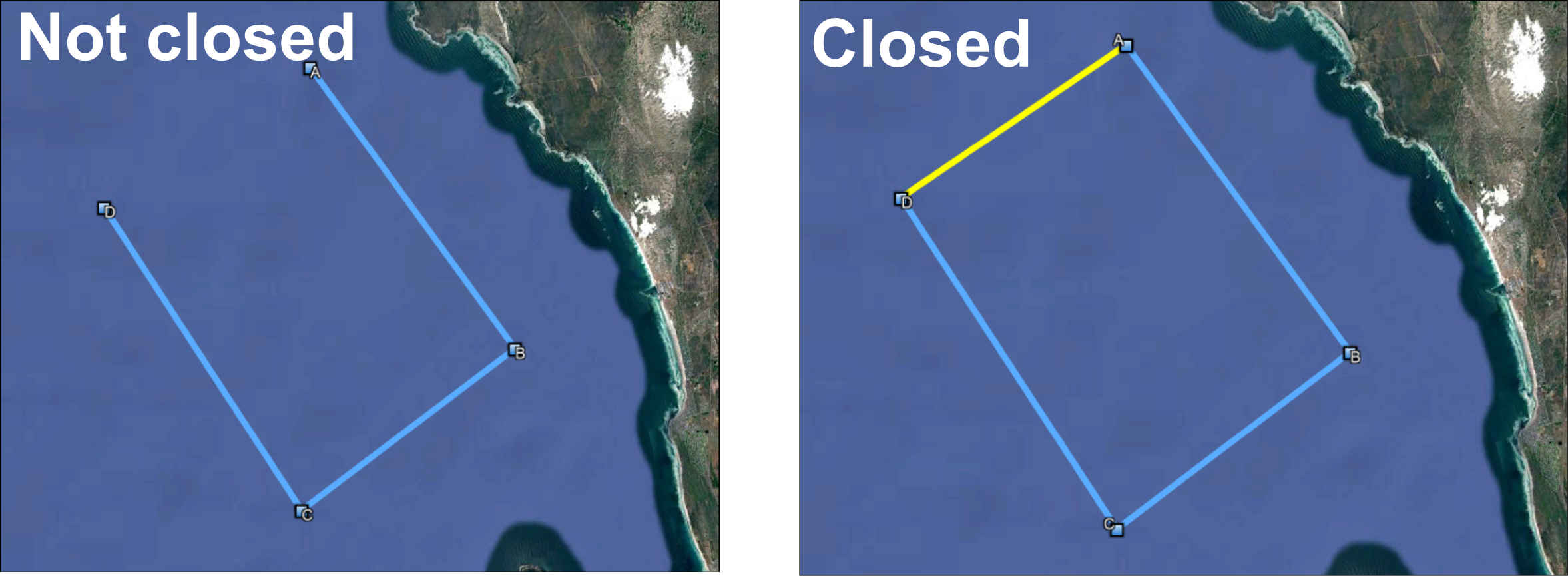
•E: Close the route - if you are wanting a closed route eg a search box, click on this option
•F: File Name - give a name that will uniquely explain what route is in the file
•G: Save button - click on this button to create the GPX file
•H: Saved in - the name of the folder that the file is saved in will appear when the file has been saved
•I: Exit button - click on this button to exit the form
Created with the Personal Edition of HelpNDoc: Revolutionize Your Documentation Output with a Help Authoring Tool